The Best Fluffy Pancakes recipe you will fall in love with. Full of tips and tricks to help you make the best pancakes.



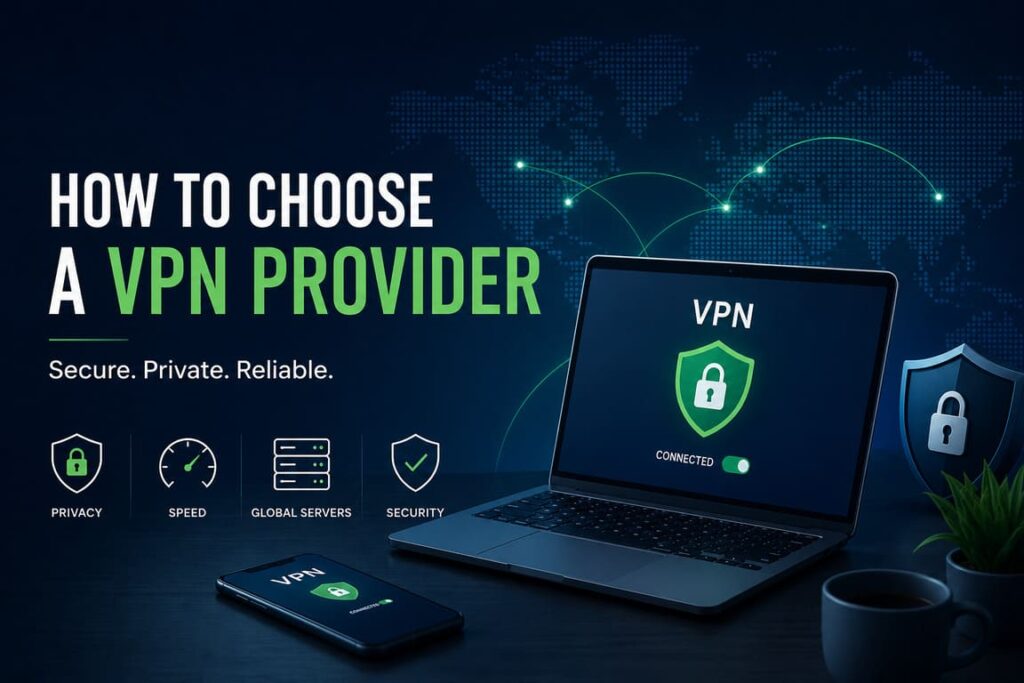
Choosing a VPN provider is not just about picking the biggest brand or the cheapest price. A good VPN should match your real needs, protect your traffic with modern technology, and be honest about what it does and does not protect. The biggest mistake people make is trusting marketing before checking the provider’s privacy policy, audit history, and technical basics.
A VPN can help hide your traffic from your internet provider and protect data on risky networks, but it is not a magic privacy tool. It does not make you anonymous, it does not stop cookies or browser fingerprinting, and it does not replace good security habits such as software updates, strong passwords, and two-factor authentication. That is why choosing a VPN provider starts with understanding what a VPN can actually do.
Start with your use case
Before comparing providers, decide why you need a VPN. The best provider for travel may not be the best one for daily privacy, remote work, or public Wi‑Fi. If you only need safer browsing on hotel and airport networks, ease of use may matter most. If you care about privacy, you should focus more on logging policy, audits, DNS handling, and company transparency. If you need stable speed, protocol support and server quality matter more.
A simple rule helps here: first define the problem, then pick the provider. Do not buy a VPN because the ads promise “total anonymity” or “military-grade encryption.” Consumer Reports found that many VPN companies make broad or misleading claims that sound strong but say very little in practice.
What matters most when choosing a VPN
The first thing to check is the provider’s logging policy. A VPN routes your internet traffic through its own servers, which means you are moving trust from your ISP to the VPN company. If the provider keeps detailed logs, sells data, or writes vague privacy language, that is a major warning sign. EFF recommends reading the privacy policy carefully and checking whether the company clearly says what it collects, how long it keeps it, and whether it shares data with third parties.
The second thing is technical quality. A strong provider should support modern protocols such as WireGuard or OpenVPN, offer a kill switch, and protect against DNS leaks. Privacy Guides also treats open-source apps, transparency reports, and independent audits as strong trust signals.
The third thing is company transparency. You should know who runs the company, how it makes money, and whether it has faced real legal or technical tests. EFF says reputation, public leadership, business model, and third-party audits matter because a VPN is only as trustworthy as the people operating it.
The fourth thing is security hygiene. NSA and CISA recommend choosing standards-based solutions from reputable vendors, using strong authentication, keeping software patched, and reducing attack surface. Their guidance is written for remote-access VPN deployments, but the core lesson also applies to consumer choice: a VPN should come from a vendor with a serious security track record, not just a loud marketing team.
A practical checklist
Use this checklist before paying for any VPN:
- Read the privacy policy and look for clear statements about logs, retention, and third-party sharing.
- Check whether the provider supports WireGuard or OpenVPN instead of outdated protocols.
- Look for an independent security audit and, ideally, public transparency reports.
- Confirm that the apps include a kill switch and DNS leak protection.
- Make sure the VPN has apps for all your devices and enough simultaneous connections for your household.
- Prefer paid providers over free ones unless you have a very specific reason and fully trust the company’s model.
- Test speed, app stability, and refund policy before committing to a long subscription.
Comparison table
| Factor | What good looks like | How to verify it | Red flag |
|---|---|---|---|
| Logging policy | Clear no-activity-logs language, limited data collection, clear retention periods | Read the privacy policy and transparency report | Vague wording like “we may collect data to improve service” |
| Protocols | WireGuard or OpenVPN support | Check product docs and app settings | Old or unclear protocol information |
| Security features | Kill switch, DNS leak protection, strong encryption, regular updates | Check feature pages, app settings, audit reports | No kill switch, no leak protection, weak update process |
| Audits | Independent third-party audits, public summaries | Search provider site and outside reports | No audit history or hidden audit claims |
| Transparency | Public leadership, clear business model, honest claims | Review company pages and industry coverage | Unknown ownership or aggressive “100% anonymous” marketing |
| DNS handling | Provider runs secure DNS or clearly explains DNS routing | Check support docs and run a DNS leak test | DNS requests leak to your ISP |
| Device support | Apps for your operating systems and enough simultaneous connections | Check app list and plan details | Missing apps or strict device limits |
| Pricing | Clear pricing, refund policy, no cancellation traps | Read plan terms before purchase | Hard-to-cancel subscriptions or hidden renewal terms |
Why protocol support matters
If you compare two VPN providers and one supports modern protocols well while the other hides protocol details, choose the transparent one. WireGuard describes itself as fast, modern, and simple by design, with a smaller and easier-to-audit codebase than many legacy alternatives. In practical terms, that often means better speed, quicker reconnects, and more stable use on mobile devices.
That does not mean “WireGuard = automatically safe.” The provider still matters. A bad company can build a poor service on top of a good protocol. Protocol quality helps, but logging policy, audits, DNS handling, and update practices still matter just as much.
Free vs paid VPNs
In most cases, a paid VPN is the better choice. Digital Defense Fund explicitly recommends using a paid VPN because free services often need another way to make money, and that can mean advertising, tracking, or data collection. FTC guidance also tells users to research apps carefully, review permissions, and check whether the app shares data with third parties.
Price alone is not a quality signal, though. A costly plan can still be weak on transparency. According to Security.org’s 2025 consumer report, the median monthly cost for paid VPNs is about $10, with most plans falling between $2 and $15 depending on features and subscription length. That means you do not need the most expensive option, but you should expect to pay something for a serious service.
Statistics you should know
Here are a few numbers that help put the market in perspective:
- 32% of U.S. adults reported using a VPN in 2025, down from 46% in 2024.
- 28% of VPN users still rely on free VPN options.
- Among younger adults aged 18–29, nearly 40% use VPNs regularly.
- Consumer Reports found that 12 out of 16 VPNs it studied made inaccurate, hyperbolic, or overly broad claims.
- Consumer Reports also found that half of the VPNs it reviewed did not have current, publicly available third-party audits of their core product.
These numbers tell a simple story: VPNs are common, but many users still choose based on brand and marketing instead of checking privacy, audits, and real security features.
Best professional guides to use
If you want reliable, practical guidance instead of sales copy, these are some of the best places to start:
- EFF – Choosing the VPN That’s Right for You: best for understanding what VPNs can and cannot do.
- FTC – Tips for Using VPN Apps: best for consumer checks before downloading or paying.
- Privacy Guides – VPN Criteria: best for technical and transparency criteria.
- NSA/CISA – Selecting and Hardening Remote Access VPNs: best for security-minded readers who want a vendor-quality lens. NSA
- Digital Defense Fund – VPN Guide: best for simple, practical privacy advice.
- WireGuard: best for understanding why modern protocol support matters.
Common red flags
Be careful if a provider uses flashy phrases but gives little detail. Terms like “military-grade encryption,” “complete anonymity,” or “untraceable browsing” are usually marketing, not proof. Consumer Reports says these kinds of claims should make buyers more skeptical, not less.
You should also be careful with providers that hide ownership, make cancellation difficult, do not explain data retention, or never publish audit results. EFF, Privacy Guides, and Consumer Reports all point to the same lesson: if a VPN asks for your trust, it should be ready to show how it earns that trust.
FAQ
Do I need a VPN all the time?
Not necessarily. If your main concern is public Wi‑Fi, travel, or hiding traffic from your ISP, a VPN can help. But a VPN is not required for every person in every situation, especially because modern websites already use HTTPS by default. The main point is to use a VPN when it solves a real problem for you.
Does a VPN make me anonymous?
No. A VPN does not stop cookies, browser fingerprinting, account logins, or the information you enter into websites. It improves privacy in some areas, but it does not create full anonymity.
Is a free VPN ever okay?
Sometimes, but only if you fully understand the company’s business model and trust it. In general, paid providers are safer because free VPNs often need another revenue source, and that can create privacy risks.
What is the single most important thing to check?
If you must pick one thing, check the privacy policy and the provider’s audit history together. A no-logs claim means very little if the company cannot explain its practices clearly or has never been independently reviewed.
Is WireGuard always better than OpenVPN?
Not always in every setup, but WireGuard is widely valued for speed, simplicity, and modern design. For many regular users, that makes it a strong sign that the provider is using current technology. The important point is not to chase one protocol blindly, but to choose a provider that explains its protocol choices and implements them well.
How many devices should a VPN support?
That depends on your household, but many current providers support multiple simultaneous connections, and Security.org notes that leading services often support 10+ devices. If you plan to protect a phone, laptop, tablet, and maybe a partner’s devices too, check this before you subscribe.
Final takeaway
The best VPN provider is not the one with the loudest ads. It is the one that is clear about logs, supports modern protocols, protects against leaks, publishes audits or transparency details, and fits the way you actually use the internet. A smart buyer should treat a VPN like any other security product: trust less, verify more, and pick the provider that proves its claims instead of just repeating them.